Storyboarding
Storyboards That Speed Up Your Edit
A storyboard is a thinking tool, not an art project. The useful version takes twenty minutes and fits on two sheets of paper.
What a storyboard is for
A storyboard answers three questions faster than words can: how full is the frame, which direction does the camera move, and where does this shot end. If your drawing answers those, it is good enough, even if it is three lines and a circle.
The mistake is treating the board as a deliverable. The moment you start refining the drawing, the board has stopped saving time. Give yourself twenty minutes, six to eight rectangles, and no shading at all.
Sketching the frame
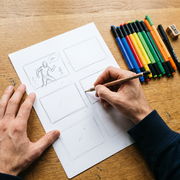
Draw your delivery shape — for vertical video a tall rectangle — and keep the same shape for every panel. Inside, place three things: where the subject sits, where the light comes from, and where the empty space is.
Use a simple figure for people, a heavy dot for a product, and a shaded corner for dark areas. Add a label underneath each panel describing the action in a few words; that label is what you will read a week later when the drawing makes no sense to you.
- Same frame shape in every panel
- Subject position, light direction, empty space
- One arrow for camera movement, drawn outside the frame
- Two to six words of description under each panel
Marking movement and cuts
Draw movement as an arrow that starts outside the frame and moves through it. A straight arrow is a push or a track; a curved arrow is a pan or an arc. Anything you cannot reduce to one arrow is probably two shots.
Mark the cut points in the sequence that follows the board. Note whether the cut lands on movement, on a sound or on a change of framing; those three options cover almost everything an editor needs at the start of an assembly.
From board to list
Once the board is finished, transcribe it into the shot list. The board carries the visual logic, the list carries the practical detail: framing height, lens, props, location and light condition.
Keep both documents for the shoot and bring the board to the edit as a reference. Comparing the intended sequence with the assembled cut is the fastest way to learn which of your sketches were doing real work.
Key takeaways
- Use the same frame shape for every panel and skip all shading.
- Three elements per panel: subject, light, empty space.
- Reduce every camera move to a single arrow or split the shot.
- Transcribe the board into the shot list and bring both to the edit.
ShotCraft Studio editorial teamWritten by the production team that plans and shoots client video, and reviewed by the editors who cut the footage afterwards.
Do I need drawing talent to storyboard?
No. Circles, rectangles and arrows carry the same information. The value is in deciding the sequence before you are standing on location with a camera.
How many panels for a thirty-second video?
Six to eight panels is usually right. One panel per beat, plus a couple for the moments the sequence turns.
Can I storyboard on a phone?
Yes, a note app with a drawing tool works. What matters is that the panels stay in order and stay visible while you film.